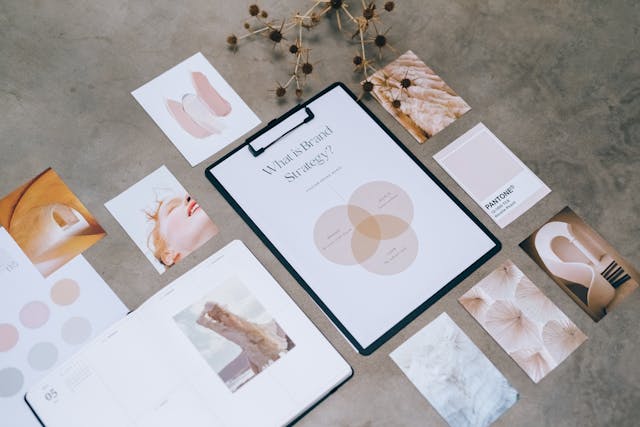
Corporate photos, marketing visuals, social media posts — every team member creates them a bit differently.
The result? An inconsistent look, mismatched colors, varying tone, and no clear visual “handwriting” of the brand.
If you want your communication to look professional, you need a consistent visual style.
It ensures that your photos, videos, and graphics look cohesive — no matter who creates them.
Why Visual Style Matters
Visual style isn’t just about aesthetics — it’s about how the brand is perceived as a whole.
When your photos, colors, and edits look unified, your brand feels professional and trustworthy.
📊 The data is clear:
- A consistent visual style increases brand recognition by up to 80%.
- Users remember brands with a unified aesthetic across all channels.
💡 Takeaway: A consistent style = a stronger brand.
Define Your Brand’s Visual Identity
The foundation of visual consistency starts with clearly defining how your brand should look.
🎨 What a simple visual guide should include:
- Color palette (primary + secondary colors),
- Lighting style (natural, studio, contrast, etc.),
- Photography style (authentic moments, staged shots, detailed product photos),
- Editing tone (bright, cinematic, neutral, warm filter),
- Aspect ratio and format for web and social media.
💡 Tip: You don’t need a 50-page brand book — just a few clear examples your team can easily remember.
Share Templates and Presets
Every team member should have access to the same tools.
📷 How to do it easily:
- Create a preset (e.g., in Lightroom or Snapseed) with the same color tone.
- Use uniform crop ratios (e.g., 4:5 for social, 16:9 for web).
- Define clear export settings (resolution, format, quality).
💡 Result: all photos will share the same mood, lighting, and color harmony.
Team Shoots = Unified Style
To achieve visual consistency, it’s best to have a shared approach already during the shoot.
📸 Tips for consistent photography:
- Use the same type of lighting (e.g., soft daylight).
- Maintain a similar angle, height, and distance.
- Shoot in the same locations or environments.
- Avoid mixing different cameras without matching settings.
💡 Bonus: Team photoshoots help align both visual style and team collaboration.
Communicate the Visual Style Across Departments
A consistent style doesn’t mean everyone must create identically — but that they all understand the brand principles.
🧩 How to ensure this:
- Host short internal workshops or share a “yes / no” video guide.
- Share an inspiration moodboard that’s regularly updated.
- Appoint one person (or team) to approve visuals and ensure consistency.
🎯 Goal: Everyone knows what the final output should look like — and speaks the same visual language.
How Infiry Helps
When teams share hundreds of photos across projects, chaos can easily arise.
That’s why it makes sense to have a central photo library — exactly what Infiry offers.
Infiry allows you to:
- 📂 Store all photos by campaigns, departments, or projects.
- 🏷 Add captions, keywords, authors, locations, and licenses.
- 🔎 Search by content, color, or dominant tone.
- ☁️ Share collections with your team or external partners.
- 🤖 Automatically generate keywords using AI.
💡 Result: everyone on the team uses the same photos, edited in the same style — no more “final_version_3”.
👉 Try Infiry for free and keep your team’s visual style consistent, organized, and professional.
Tags:
- brand consistency
- brand visual identity
- consistent content
- corporate photography
- corporate visual style
- Infiry photo management
- Lightroom presets
- photo unification
- team photo database
- team visual style
- unifying visual identity
- visual brand guide
